Aimbot · 10 min read · 2026-09-17
CS2 Aimbot Settings — Silent Aim, Smoothing & Visible-Check
Tune CS2 Aimbot FOV, smoothing, hitbox and silent aim so player tracking stays effective without looking robotic to spectating admins.
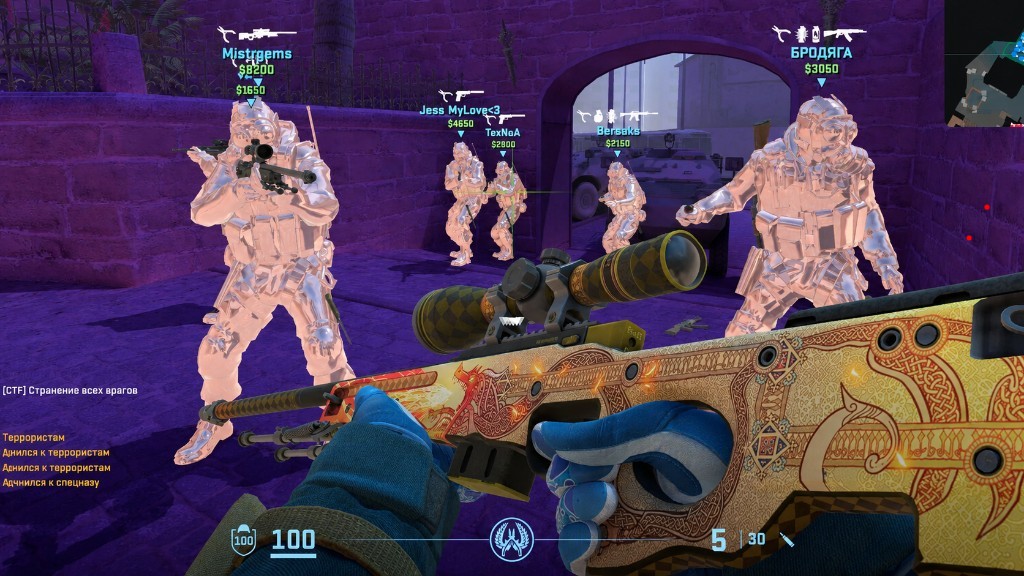
Aimbot Settings: Start conservative
Blatant Aimbot is the fastest report on a CS2 server — private admins spectate more often than VAC alone catches. Start with a tight FOV, heavy smoothing and chest or nearest-bone targeting before head-only snap.
Confirm live VAC status first. Aimbot settings cannot save a detected build after a Valve or VAC update.
Silent aim, FOV and distance
Silent aim is the CS2 hack players search for: fire near a player and the round still lands while your crosshair never snaps.
FOV is the assist cone. Small FOV reads as tracking; huge FOV reads as a magnet in close angles like Mirage apartments or Inferno banana.
Smoothing is stealth. Higher = slower human corrections. Lower = snappier and riskier.
Cap aim distance so long AWP holds on Overpass or Ancient do not look impossible.
Visible-check and hitbox
Enable visibility checks so Aimbot does not lock through solid cover — easy for admins and squad mates to spot.
Chest or body hitboxes are safer than permanent head lock. Body shots are usually enough in CS2.
Save match and PvP configs
On eco or save rounds, keep Aimbot mild or off and lean on player ESP, bomb and utility ESP and radar. On full-buy site takes, add slight assist without snap behaviour.
Save a “match play” and a “PvP” config. Licenses for CS2 hack start from $35 on cs2hack.net.
Ready for CS2 Hack?
Check live VAC status, then buy ESP, wallhack, radar hack and silent aim for Counter-Strike 2 on cs2hack.net. Need help? Read delivery and menu help desk or read buyer ratings. Own the game via Steam Counter-Strike 2 store.